
How to Update Your Membership Toolkit (MTK) Info
Membership Toolkit (lovingly shortened to MTK) is our way of getting timely and important information about the school, your grade, and your classroom to you! Weekly PTO Notes e-mails, communications from your classroom’s Room Parents, and other e-mails are sent through MTK.
It’s especially important that once you learn of your child’s assigned teacher that you update this information within MTK. This lets you communicate with other parents to arrange play dates, ask questions, and foster the connections that are an integral part of the Mason-Rice community!
The screenshots below walk you through the steps of updating student information and verifying that you are subscribed to the right e-mail lists within MTK.
Updating Your Contact Info and Student Information
- Log into MTK: https://masonricepto.membershiptoolkit.com
- Click on Step 1: Family Information
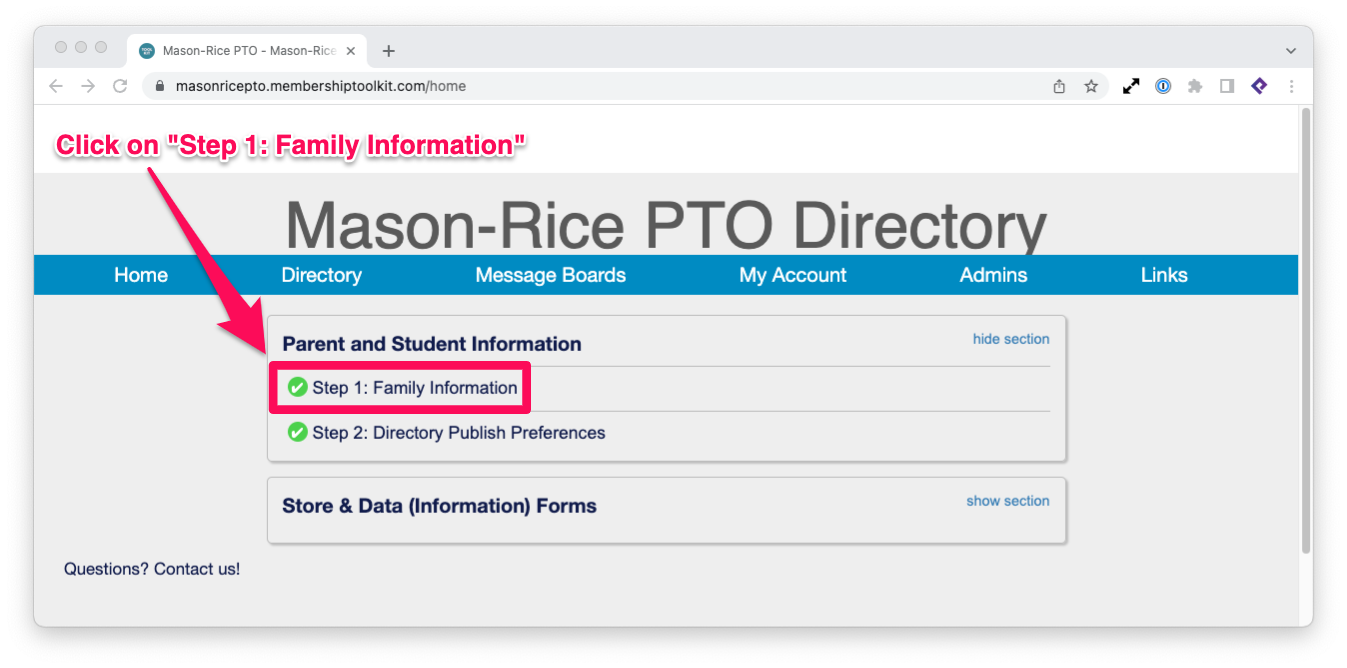
- Verify your contact info
- Click on the Next Step > button to go to Student Information
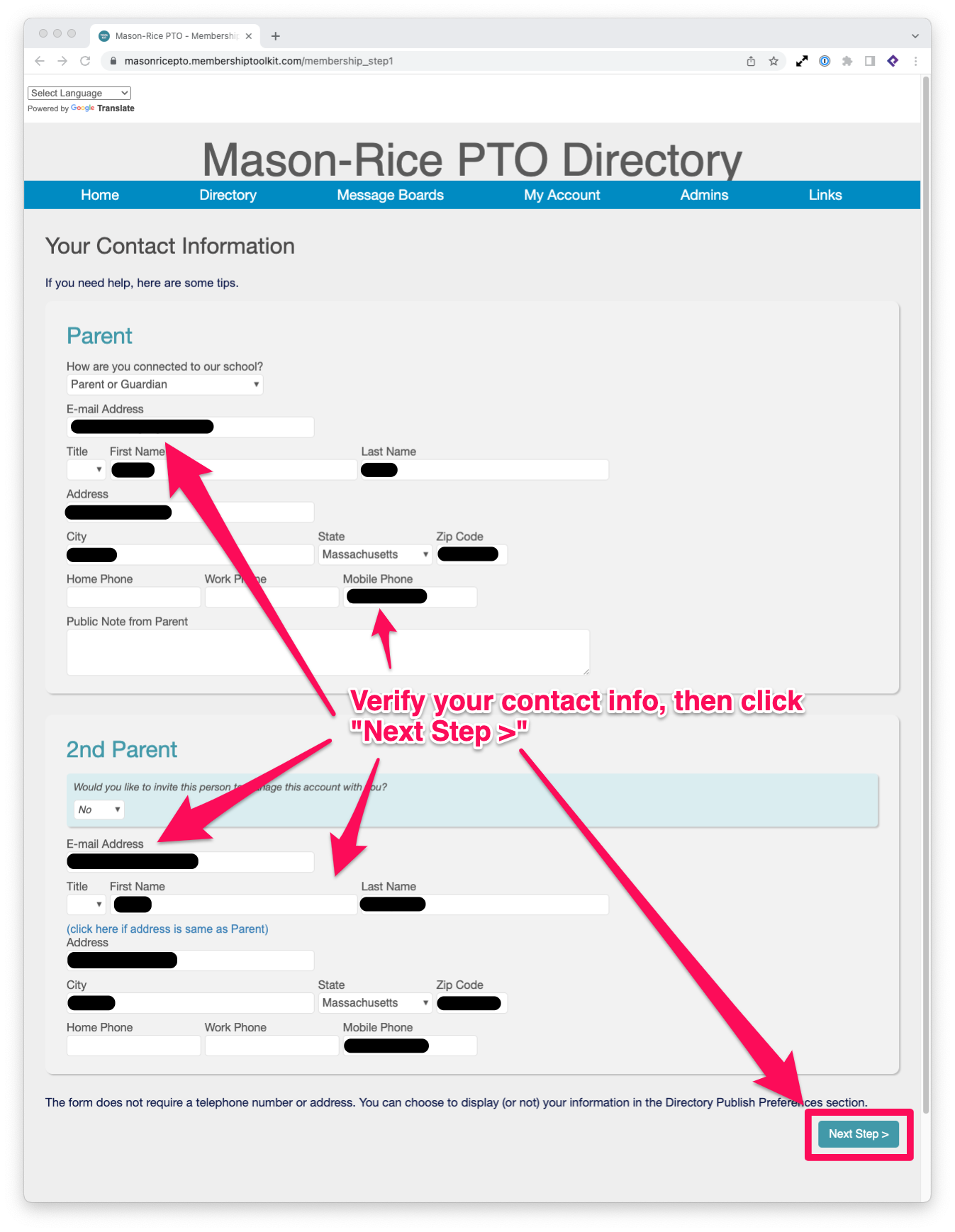
- Update Grade and Teacher for each child
- Once done, click the Save button.
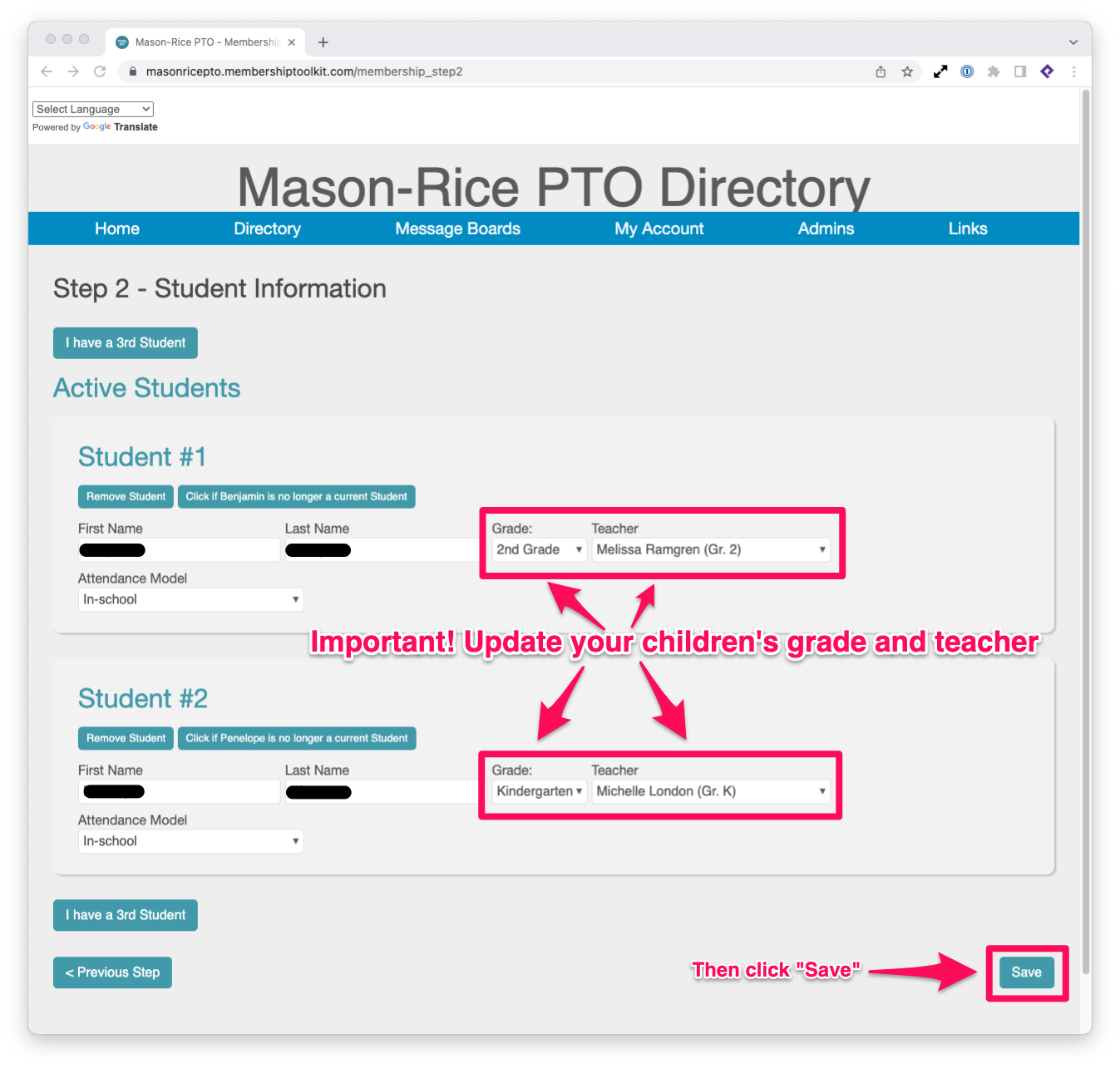
But wait, there’s more! This takes care of the directory, but we want to make sure that you are subscribed to the appropriate e-mail lists.
Verifying Your Subscriptions
- Back on the MTK homepage, https://masonricepto.membershiptoolkit.com
- Click on My Account and then on Update My Account.
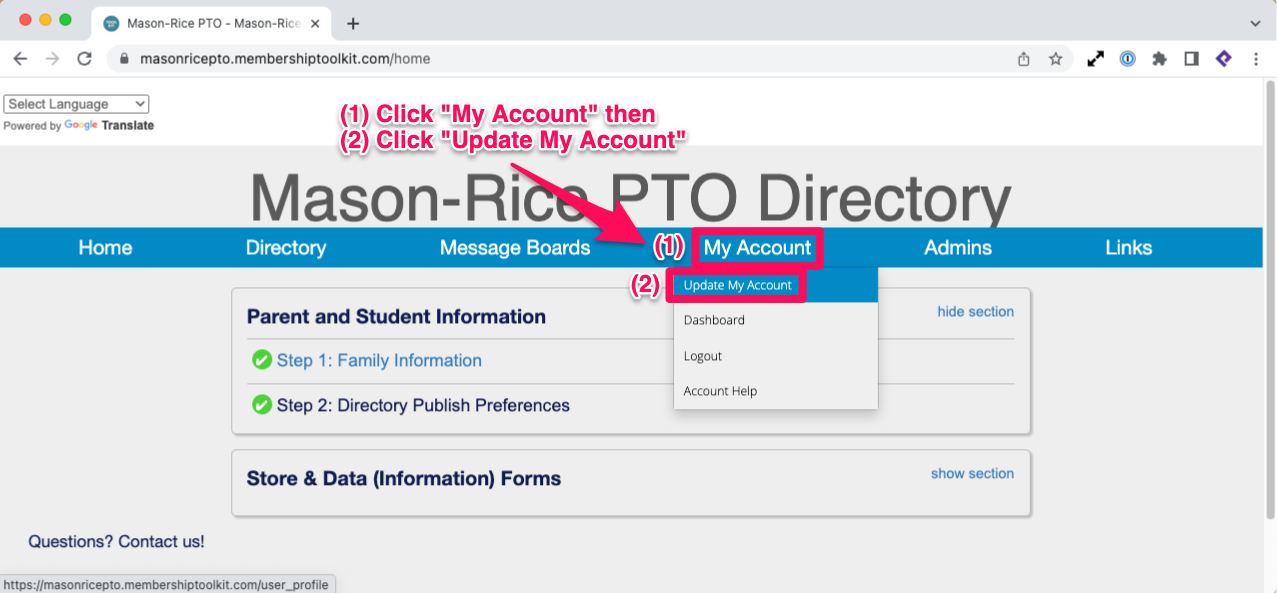
- Click on the Subscriptions tab
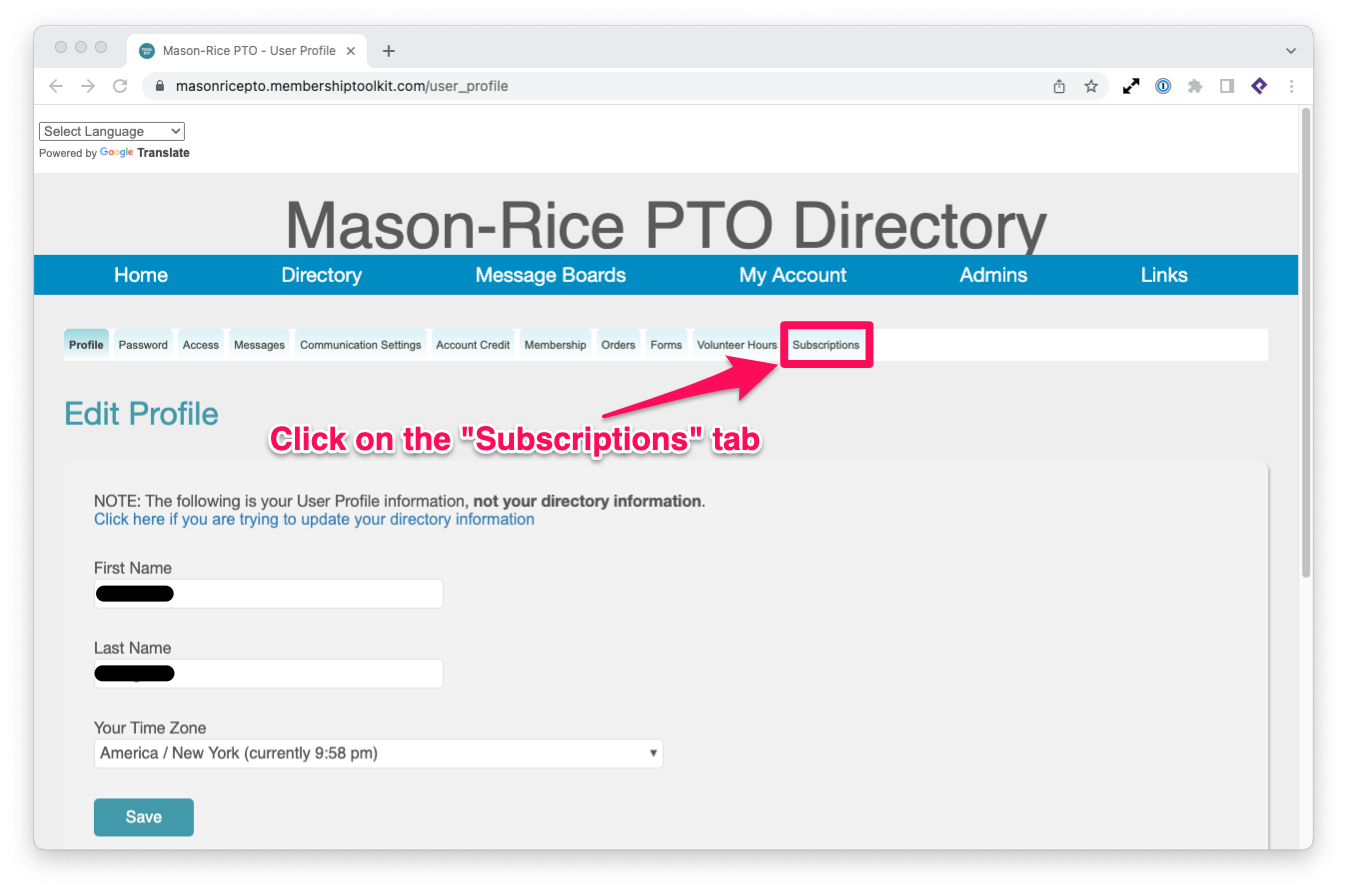
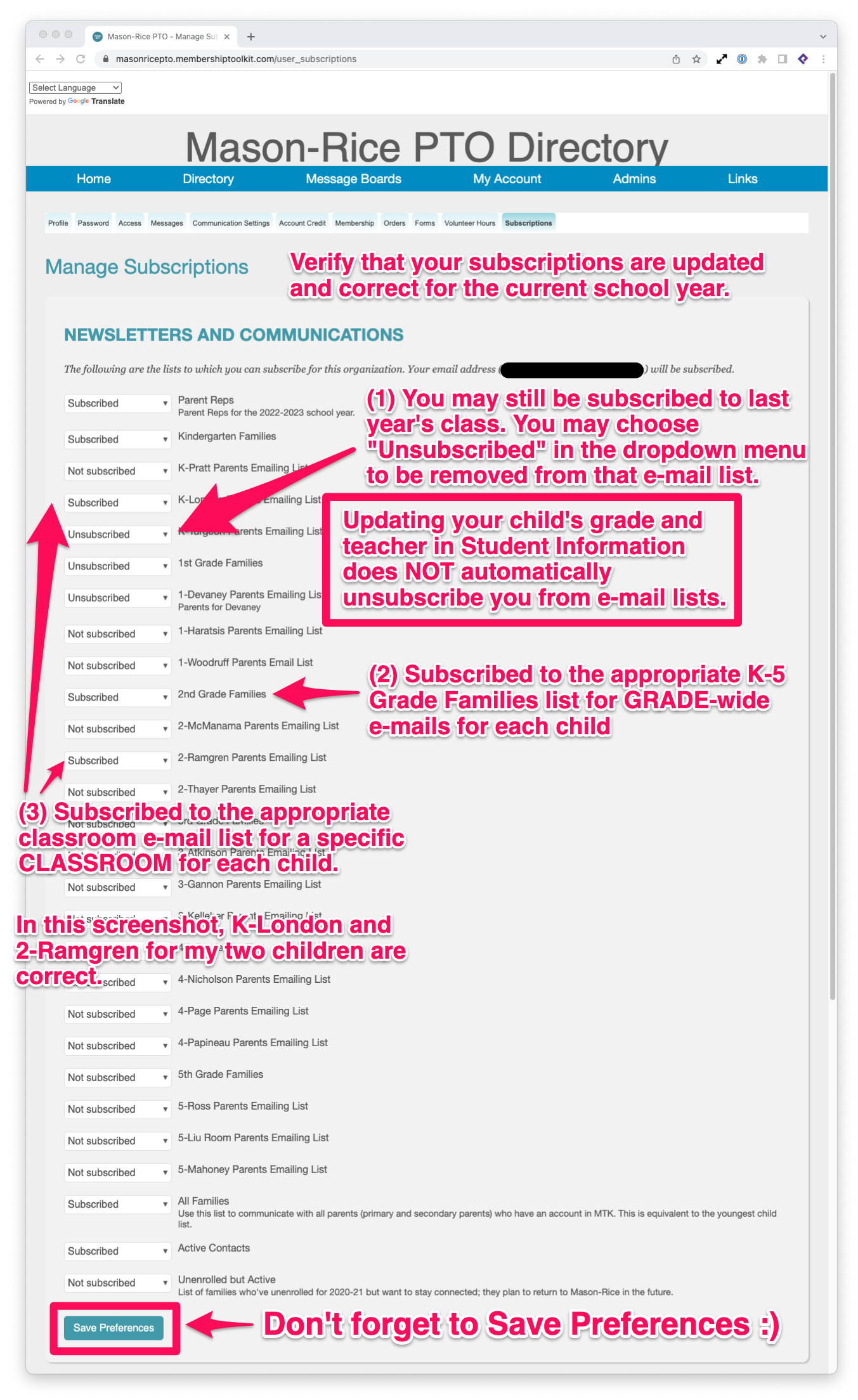
Verify that your subscriptions are updated and correct for the current school year.
- You may still be subscribed to last year’s class. You may choose “Unsubscribed” in the dropdown menu to be removed from that e-mail list. Note: updating your child’s grade and teacher in Student Information does NOT automatically unsubscribe you from e-mail lists.
- Subscribed to the appropriate K-5 Grade Families for grade-wide e-mails for each child.
- Subscribed to the appropriate classroom e-mail list for a specific classroom for each child.
And you’re done! Now you can forget all this and come back to this page in a year 🙂